
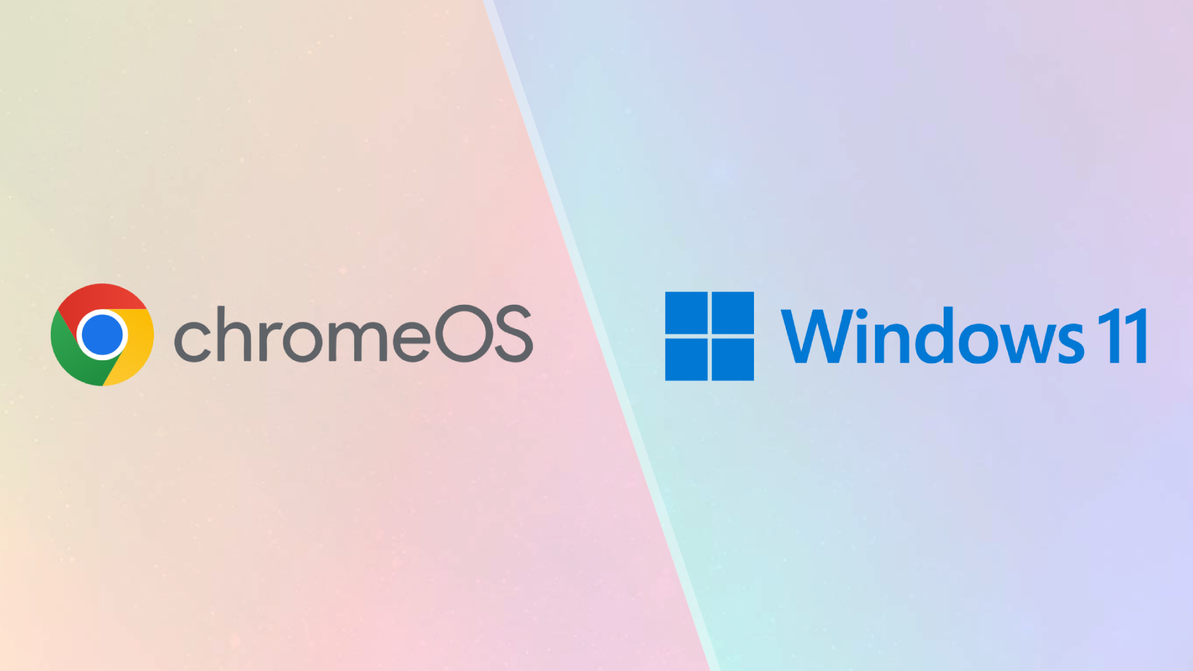
Chromebook vs Windows Laptop: Which Is Better in 2026? | Expert.ie
Chromebook vs Windows Laptop: Which Should You Buy in 2026?
A Chromebook can cost less than many Windows laptops, start quickly and handle a surprising amount of everyday work. The important question is whether it can run the apps and course or work software you need. A low price is only good value when the device fits the job.
Choose a Chromebook when most of your day happens in a web browser and you mainly use email, Google Docs, Google Classroom, streaming, video calls and cloud services. Choose a Windows laptop when you need installed desktop software, specialist college or business programs, broader gaming support, more hardware choice or the safest overall compatibility.
Quick answer: A Chromebook is an excellent simple laptop for browser-based work, Google services and everyday home or school use. A Windows laptop is the safer all-round choice when you need full desktop software, advanced Microsoft Office features, specialist applications, PC gaming or the widest range of models and accessories.
Chromebook vs Windows laptop: quick comparison
| What matters | Chromebook | Windows laptop |
|---|---|---|
| Browsing and email | Excellent | Excellent |
| Google Docs and Classroom | Excellent | Excellent in a browser |
| Microsoft 365 web apps | Good | Excellent |
| Full desktop Microsoft Office | No | Yes |
| Windows-only software | No | Yes |
| Specialist college software | Limited; check first | Strongest general choice |
| Gaming | Limited | Much broader PC gaming support |
| Simple everyday use | Excellent | Excellent |
| Choice of models and specifications | Smaller | Very wide |
| Low-cost options | Strong | Strong, with more variation |
| Offline working | Available for selected apps and files | Broad desktop-app support |
| Local storage choice | Often modest | From compact SSDs to 1TB and more |
| Upgrade options | Usually limited | Varies widely by model |
The decision is not really Chromebook versus “a laptop”. A Chromebook is a laptop that runs ChromeOS. The meaningful comparison is ChromeOS versus Windows and whether your software is web-based or needs to be installed locally.
What is a Chromebook?
A Chromebook is a laptop that runs Google's ChromeOS rather than Microsoft Windows or Apple's macOS. It is designed around the Chrome browser, Google accounts, web apps and cloud storage. Many models can also run supported Android apps from Google Play.
That does not mean a Chromebook is only useful while connected to the internet. Google Drive files such as Docs, Sheets and Slides can be made available offline, and some apps can work without a connection. However, offline support varies, so a Chromebook is at its best for users who are comfortable with a web-first way of working.
Chromebooks tend to suit people who want a straightforward device with fewer compatibility decisions. They can be particularly attractive for schoolwork, light home use, browsing, streaming and cloud-based administration.
What can you do on a Chromebook?
A Chromebook can comfortably handle many common tasks, including:
- browsing, shopping and online banking;
- Gmail and other webmail services;
- Google Docs, Sheets and Slides;
- Google Classroom and school portals;
- Microsoft Word, Excel and PowerPoint on the web;
- Teams, Google Meet and other browser-based calls;
- YouTube, Netflix and streaming services;
- social media and web apps;
- light photo editing using compatible web or Android apps;
- reading, forms and everyday household administration.
For a user whose normal day is Chrome, Gmail, Google Drive and streaming, a Chromebook may do almost everything required without the extra complexity or cost of a higher-spec Windows machine.
Current Expert.ie options include a compact ASUS 14-inch Chromebook with Core i3, 8GB RAM and 256GB storage as well as lower-cost Chromebook routes for lighter use. The larger memory and storage on the 14-inch model make it a more capable option than basic entry Chromebooks with very small local storage.
What can a Chromebook not do as well?
The main limitation is software compatibility. A Chromebook does not run normal Windows desktop programs simply because they have familiar names or file formats. It may be a poor fit when you need:
- a Windows-only application;
- specialist engineering, architecture, accounting or laboratory software;
- a full professional creative workflow built around desktop apps and plug-ins;
- advanced PC games;
- a peripheral that depends on Windows-specific drivers;
- complex Microsoft Excel macros, add-ins or desktop-only features;
- corporate software that your employer has certified only for Windows.
There may be a web, Android or Linux alternative, but that is not the same as guaranteed compatibility. Check the exact software requirements before buying. This is especially important for college courses and work systems.
A Chromebook is a poor bargain if you later discover that one essential program will not run. Windows is normally the safer choice when requirements are uncertain.
Can you use Microsoft Word and Excel on a Chromebook?
Yes, but normally through Microsoft 365 on the web. Microsoft provides browser access to Word, Excel, PowerPoint, Teams, OneNote, OneDrive and Outlook on a Chromebook. These web apps can create, edit and collaborate on documents.
You cannot install the normal Windows or Mac desktop versions of Microsoft 365 on ChromeOS. That distinction matters when you rely on advanced Excel functions, complex macros, specialist add-ins, offline desktop workflows or features available only in the full applications.
For normal assignments, letters, simple spreadsheets and collaborative work, the web versions can be perfectly suitable. For advanced business use, finance models or course requirements built around the full desktop suite, Windows is the safer option.
Can a Chromebook work offline?
Yes, for selected files and apps. Google Drive can make Docs, Sheets, Slides and other files available offline, then sync changes when the Chromebook reconnects. Some Android apps can also work offline because they are installed locally.
Offline use is not identical to a Windows laptop with a full collection of desktop programs. Some web apps need a connection, and files must often be prepared for offline access in advance. A Chromebook is therefore a better match for users who are online most of the time and need occasional offline access, rather than people who regularly work for long periods without internet.
Is a Chromebook good for school?
It can be an excellent school laptop when the school uses Google Classroom, Google Workspace and browser-based learning platforms. Chromebooks are simple, portable and often competitively priced. They can also be familiar to pupils who already use managed Chromebooks in class.
Before buying, confirm:
- the school's required platform and apps;
- whether the pupil needs Windows-only software;
- the preferred screen size and keyboard layout;
- whether the device must support a stylus or touchscreen;
- how much local storage is needed;
- the school's account-management or device requirements.
A school Chromebook does not need premium specifications for basic documents and web work, but 8GB RAM and sensible storage can make the experience more comfortable than the most basic 4GB/64GB configuration.
Is a Chromebook good for college?
Sometimes - but check the course first. A Chromebook can work well for courses centred on research, essays, online lectures, Google Workspace and web-based learning. It is less suitable when the course requires specialist Windows or macOS software.
Students in engineering, architecture, design, media, computing and some business courses may need programs that either do not run on ChromeOS or offer only reduced web versions. Even when the first semester is browser-based, later modules may introduce specialist software.
Ask the college or department for its current hardware and software requirements before buying. For a complete student decision covering battery, weight, screen and course needs, see our Best College Laptops Ireland guide.
Chromebook vs Windows for work
A Chromebook is a strong work option when the organisation uses browser-based systems, Google Workspace, cloud accounting, web CRM and online collaboration. It can also suit self-employed users who mainly handle email, documents, appointments and web portals.
Windows is the more flexible choice when you use:
- installed Microsoft 365 desktop apps;
- advanced Excel models;
- specialist accounting or industry software;
- VPN, security or device-management tools with Windows requirements;
- legacy applications;
- several monitors, docks or peripherals with specific drivers;
- locally installed creative or technical programs.
The employer's IT policy should decide the issue for managed work. Do not buy a personal Chromebook for corporate use until compatibility and security requirements are confirmed.
Chromebook vs Windows for gaming
Windows is the clear choice for broad PC gaming. It supports a much larger library of installed games, gaming services, graphics hardware and accessories. A Windows gaming laptop can include a dedicated graphics card, high-refresh display and stronger cooling.
A Chromebook can play browser games, Android titles on supported models and cloud-streamed games where the service and internet connection allow. That can be enjoyable, but it is not equivalent to a full Windows gaming laptop.
For serious gaming, browse the Expert.ie gaming laptop range and pay attention to the graphics card, processor, RAM, storage, cooling and screen - not only the operating system.
Chromebook vs Windows for older adults and simple home use
A Chromebook can be a very good simple home laptop because it starts with a familiar browser-led experience and reduces the need to manage traditional desktop programs. It suits email, news, shopping, video calls and streaming particularly well.
Windows may still be easier for someone who has used it for years, owns Windows-compatible printers or software, or receives help from family members who know Windows. Familiarity matters more than declaring one system universally easier.
For a fuller discussion of screen size, keyboard comfort, webcam, support and setup, see our Best Easy-to-Use Laptops Ireland guide.
Which costs less: Chromebook or Windows laptop?
Chromebooks are often strong at the lower end of the market, but “Chromebook is always cheaper” is too simple. Both categories contain affordable models, and specification makes a large difference. A Chromebook with 8GB RAM, 256GB storage and a better processor can cost more than a basic Windows laptop.
Compare what you receive:
- screen size and quality;
- RAM and local storage;
- processor class;
- build quality and keyboard;
- ports and webcam;
- battery expectations;
- software compatibility;
- how long the device is likely to meet your needs.
The cheapest device is not good value when it cannot run an essential app or has too little storage for your files.
Which lasts longer?
There is no universal winner. Useful life depends on build quality, specifications, battery condition, software support, updates and how demanding your workload becomes.
For a Chromebook, check the model's Auto Update Expiration information so you understand its update window. For Windows, check whether the hardware is suitable for the current Windows version and whether the specification has enough RAM and storage for the intended years of use.
A better-specced Chromebook can outlast an underpowered Windows laptop for web tasks, while a well-chosen Windows model can remain useful longer when your software needs expand. Buy for the actual workload rather than the logo.
Current Expert.ie Chromebook and Windows routes
| Route | Current Expert.ie example | Best fit |
|---|---|---|
| Simple Chromebook | ASUS Chromebook range | Browsing, school platforms, email, Google Docs and streaming. |
| Higher-spec Chromebook | ASUS 14-inch Chromebook - Core i3, 8GB, 256GB | A more capable web-first laptop with extra local storage. |
| Affordable Windows | ASUS 15.6-inch Core i3, 8GB, 512GB | Familiar Windows desktop software, home use and useful storage. |
| Windows all-rounder | ASUS Vivobook 16 - Ryzen 5, 16GB, 512GB | Work, study, multitasking and a larger 16-inch workspace. |
| Portable Windows Copilot+ route | Acer Aspire 14 AI - Snapdragon X, 16GB, 1TB | Portable everyday Windows use with large storage and newer AI features. |
| Premium Windows OLED | ASUS Zenbook 14 OLED - Core Ultra 5, 16GB, 512GB | Premium portability, work and a high-quality display. |
Specifications and availability change. Use the examples as routes and check the live product page before buying.
Who should buy a Chromebook?
A Chromebook is likely to suit you when:
- most tasks happen in Chrome or another browser;
- you use Google Docs, Classroom and Drive;
- email, streaming and video calls are the main jobs;
- you want a simple web-first device;
- specialist desktop software is not required;
- you are comfortable storing files in the cloud;
- the school or organisation is built around ChromeOS.
Who should buy a Windows laptop?
Choose Windows when:
- you need installed Microsoft Office or Windows-only software;
- you want the widest choice of brands, sizes and prices;
- gaming is important;
- a course requires specialist applications;
- you use unusual peripherals or business tools;
- you need more flexibility for future software;
- you are uncertain about compatibility and want the safer general route.
Chromebook vs Windows buying checklist
- List the exact apps and websites you use before comparing prices.
- Ask whether you need the web version or full desktop version of Microsoft Office.
- Check course or employer software requirements in writing.
- Confirm that printers, scanners and specialist accessories are supported.
- Decide how much local storage you need when working offline.
- Choose at least 8GB RAM when you expect heavier browser multitasking.
- Check the model's update-support period.
- Do not buy a Chromebook for serious PC gaming.
- Compare actual screen, keyboard, ports and battery - not only the operating system.
Frequently asked questions
Is a Chromebook the same as a laptop?
A Chromebook is a type of laptop. It runs ChromeOS instead of Windows or macOS. “Chromebook vs Windows laptop” is therefore the clearest comparison.
Is a Chromebook worth it in 2026?
It can be excellent value for browsing, Google Workspace, school platforms, streaming and web-based work. It is not the right choice when you need Windows-only or specialist desktop software.
Can a Chromebook run Microsoft Word and Excel?
Yes, through the Microsoft 365 web apps. You cannot install the normal Windows or Mac desktop versions of Office on ChromeOS.
Can a Chromebook work without the internet?
Some files and apps work offline. Google Drive files can be marked for offline use and sync when the device reconnects. Support varies by app, so ChromeOS remains best suited to users who are online regularly.
Can a Chromebook run Windows programs?
Not as normal native Windows desktop applications. There may be web, Android, Linux or remote-access alternatives, but check every essential program before buying.
Can you play games on a Chromebook?
You can play browser games, supported Android titles and some cloud-streamed games. Windows provides a much broader traditional PC gaming ecosystem.
Is a Chromebook good for college?
It can be, especially for essay-based and web-led courses. Confirm the course software first; specialist applications often make Windows or macOS the safer choice.
Is a Chromebook good for Zoom or Teams?
Yes, supported browser or web-app versions can handle video calls. Check camera, microphone, RAM and internet quality for the best experience.
Does a Chromebook need antivirus software?
ChromeOS includes built-in security features and automatic updates, but users still need safe passwords, two-factor authentication and sensible browsing. No device removes the risk of scams or unsafe downloads.
Is 4GB RAM enough for a Chromebook?
It can handle very light use, but 8GB is a more comfortable choice for many tabs, video calls and longer-term use.
How much storage does a Chromebook need?
Cloud-first users can live with less local storage, while offline files and Android apps increase the need. A 128GB or 256GB model gives much more flexibility than very small entry-level storage.
Is Windows better than Chromebook?
Windows is more flexible and compatible; ChromeOS can be simpler and better value for web-first use. The better choice depends on your apps rather than a universal ranking.
Final verdict: Chromebook or Windows laptop?
Choose a Chromebook when your needs are clear and browser-based. It can be a fast, simple and cost-effective device for Google Docs, school platforms, email, streaming and everyday home tasks.
Choose Windows when compatibility is the priority. It is the safer route for full desktop Office, specialist course or work software, gaming, advanced creative tools and the widest choice of laptop specifications.
Start by writing down the three programs you cannot work without. If all three run well in a browser or on ChromeOS, a Chromebook deserves serious consideration. If even one is Windows-only or uncertain, buy Windows rather than trying to solve the problem after purchase.
Browse Chromebooks at Expert.ie and Windows laptops at Expert.ie, or use our complete Laptop Buyer's Guide to compare the rest of the specification.
Recent Posts
-

How Much Laptop Storage Do You Need? 256GB vs 512GB vs 1TB SSD
How Much Laptop Storage Do You Need? 256GB vs 512GB vs 1TB SSD Laptop storage is easy to underestim …16th Oct 2026 -
MacBook vs Windows Laptop: Which Is Better for You in 2026? | Expert.ie
MacBook vs Windows Laptop: Which Should You Buy in 2026? A MacBook and a Windows laptop can both be …14th Sep 2026 -
Chromebook vs Windows Laptop: Which Is Better in 2026? | Expert.ie
Chromebook vs Windows Laptop: Which Should You Buy in 2026? A Chromebook can cost less than many Wi …10th Sep 2026