
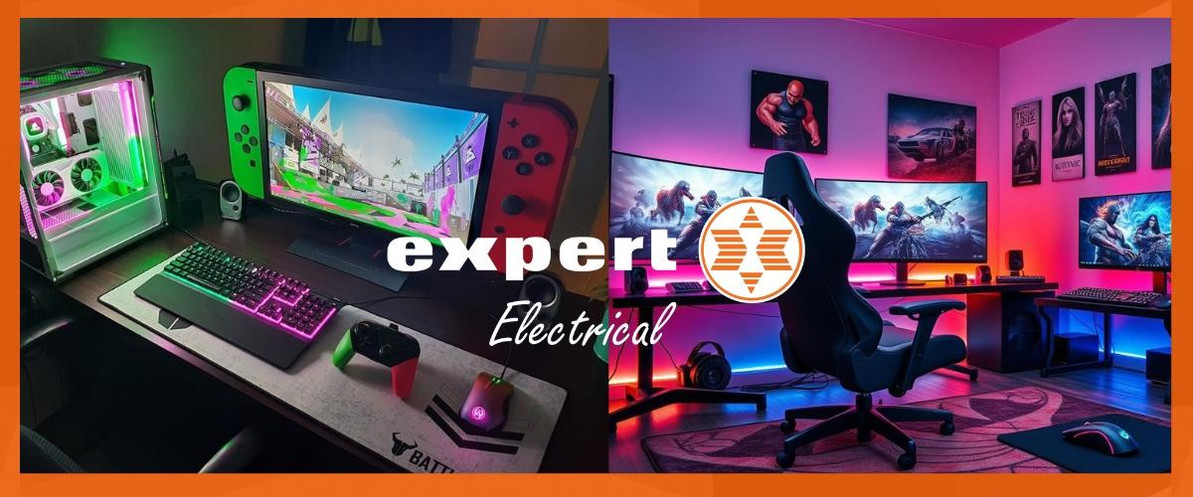
Best Gaming Accessories in Ireland: How to Choose the Right Setup for PS5, PC, Nintendo Switch and Streaming
If you are shopping for gaming accessories on Expert.ie, the best buy usually comes down to one question first: what will make the biggest difference to the way you actually play? For some people, that is a faster, sharper monitor. For others, it is a better headset, a more comfortable chair, a controller upgrade, or a keyboard and mouse that feels more precise. The smart option is to buy your platform, your favourite games, and how long you spend at the desk or on the sofa.
The Expert Electrtical range gives clear buying options. If you want the biggest console upgrade, start with PlayStation 5 console Slim Disk Version or the Nintendo Switch 2 + Mario Kart World bundle. If performance is the priority, a proper gaming monitor such as the AOC 32” 180Hz LCD Curved Gaming Monitor is the kind of upgrade you notice every time you sit down. If you want stronger communication and immersion, a headset like the HyperX Cloud III Wireless is a much more meaningful buy than another small accessory.
Gaming Top Picks by Buyer Need
| Buyer need | Recommended live options | Why it stands out |
|---|---|---|
| Best overall gaming upgrade | PlayStation 5 Console Slim Disk Version | 9021230 | A strong all-round route when you want a major step up in performance, 1TB storage and proper 4K-ready console gaming. |
| Best handheld / family gaming route | Nintendo Switch 2 + Mario Kart World Bundle | 10015921 | A better fit for family play, shared gaming and shoppers who want flexibility between handheld and TV play. |
| Best gaming monitor upgrade | AOC 32" 180Hz Curved Gaming Monitor - Black | CQ32G4VE | A bigger-screen, high-refresh upgrade that makes more sense when immersion and smoother gameplay matter. |
| Best wireless gaming headset | HyperX Cloud III Wireless Gaming Headset | 259-77Z46AA | Long battery life, clearer chat and better comfort for longer sessions. |
| Best gaming chair upgrade | Huzaro Force 6.2 Grey Mesh Gaming Chair | A stronger ergonomic route when posture, comfort and longer desk sessions matter. |
| Best controller upgrade | PlayStation 5 DualSense Wireless Controller Cosmic Red | 9575924 | The easiest pick for PS5 owners who want a second pad, a fresh colour or a replacement that still feels premium. |
| Best gaming mouse for speed | HyperX Pulsefire Haste Gaming Mouse 2 | 259-6N0A7AA | A more serious mouse route for competitive play, faster reactions and cleaner sensor performance. |
| Best streaming starter upgrade | Easypix MyStudio Mic Duo | 267-62022 | A practical creator route when voice quality matters more than relying on a built-in laptop or webcam mic. |
How to choose the right gaming setup
Start with the platform
- PS5 players should normally start with a better headset, an extra controller or a monitor upgrade before buying smaller accessories.
- PC players usually notice the biggest difference from monitor quality, keyboard feel, mouse precision and chair comfort.
- Nintendo Switch shoppers often get the most value from a console bundle, a spare controller or camera and chat accessories.
- Streaming-focused buyers should prioritise microphone quality, camera quality, and desk comfort before adding decorative extras.
Then decide what you want to improve first
- Immersion: Look first at gaming monitors, gaming audio and gaming headsets.
- Comfort: Look first at gaming chairs and gaming desks.
- Control: Look first at gaming controllers, keyboards and mice.
- Streaming quality: look first at microphones, streaming cameras and creator accessories.
- Gift buying: start with the shopper’s platform, then buy the accessory they will use every day rather than the one that sounds most technical.
What matters most before you buy
- Monitor choice should start with screen size, resolution, and refresh rate. If you mainly play shooters or faster games, the refresh rate matters more. If you want a more cinematic experience, a larger curved screen can make more sense.
- Headset choice should start with platform compatibility, wired versus wireless, microphone quality and comfort. A headset that sounds good for 20 minutes but feels heavy after two hours is not the right headset.
- Controller choice should start with platform match, grip feel and whether you need a second controller, a colour upgrade or a more specialist option.
- Keyboard and mouse choice should start with use case. If you mainly play on console, you probably do not need to overspend. If you play competitive PC games, sensor quality, switch feel and layout matter much more.
- Gaming furniture should be judged by support, adjustability, and the size of the space you have, not just the visual style.
Best gaming essential for PS5 players
PlayStation 5 console Slim Disk Version and PlayStation 5 DualSense Wireless Controller Cosmic Red are the clearest routes here. If the goal is to improve a PlayStation setup, start with the biggest jump in day-to-day experience. The PS5 Slim is still the clear route when you want the core hardware to upgrade, while an extra DualSense controller is one of the easiest and most useful accessory buys for multiplayer, backup charging and replacement use.
Best gaming essential for Nintendo Switch players
Nintendo Switch 2 + Mario Kart World bundle and Nintendo Switch 2 Camera are the clearest routes here. For Switch players, the strongest route is usually flexibility and shared play. The Nintendo bundle makes sense when you want the main console sorted in one move, while the camera is a stronger add-on for chat and family-friendly play than a random accessory pick.
Best gaming monitor for people upgrading from a standard display
AOC 32” 180Hz LCD Curved Gaming Monitor and AOC 24” 200Hz FHD Fast IPS Gaming Monitor are the clearest routes here. If you are moving from an older basic monitor, these are the kind of upgrades you actually feel. The 32-inch curved AOC is better when you want to scale and immersion. The 24-inch 200Hz AOC is the cleaner route when speed, sharp movement and desk-friendly size matter more.
Best gaming headset for longer sessions
HyperX Cloud III Wireless and SteelSeries Arctis Nova 1P Gaming Headset - White are the clearest routes here. A better headset changes gaming more quickly than most small accessories. HyperX is the stronger premium wireless route for long sessions, while SteelSeries gives a more accessible multi-platform answer with a clear chat-and-audio upgrade.
Best gaming setup upgrade for comfort
Huzaro Force 6.2 Grey Mesh Gaming Chair and Huzaro Force 3.7 RGB Black Gaming Chair are the clearest routes here. If you are gaming for longer stretches, posture and comfort matter more than people admit. A better chair is one of the smartest long-term upgrades because it improves every session, whether you are gaming, studying or working from the same setup.
Best keyboard and mouse route for PC gaming
HyperX Pulsefire Haste Black Wired Gaming Mouse 2 and Trust GXT 871 ZORA Mechanical Keyboard - Black are the clearest routes here. When the goal is cleaner control and faster reactions, this is the part of the range to shop first. A more capable gaming mouse and a proper mechanical keyboard make more sense than buying several smaller accessories that do not change the feel of play.
Gaming Setup Guide
| Setup option | Best for | Start here | What to compare first |
|---|---|---|---|
| PS5 gaming setup | Console players who want stronger graphics, smoother play and better accessories | PlayStation 5, Gaming Headsets, Gaming Monitors | Console version, screen type, headset compatibility and whether you need a second controller |
| Nintendo / family gaming setup | Shared home gaming, handheld play and gift buying | Gaming Computers & Consoles, Gaming Controllers | Who is using it, handheld versus TV play, multiplayer needs and age range |
| PC gaming setup | Competitive or desk-based gamers | Gaming Monitors, Mice & Keyboards, Gaming Furniture | Refresh rate, resolution, switch type, sensor quality and comfort |
| Streaming setup | Creators, streamers and people who need clearer voice and camera quality | Streaming Essentials, Gaming Audio | Mic quality, camera quality, desk space and how serious the setup needs to be |
Gaming accessories FAQ
Related options: Gaming Monitors | Gaming Headsets | PlayStation 5 | Gaming Controllers
What gaming accessories makes the biggest difference first?
Usually a better gaming monitor, gaming headset or gaming chair. Those are the upgrades most people notice every time they play.
Should I buy a gaming monitor or a gaming headset first?
Buy the monitor first if your screen is basic or dated. Buy the headset first if chat, immersion or late-night play matters more.
Is wireless better for gaming accessories?
Wireless is better when convenience matters. Wired still makes sense when you want simplicity, lower spend or a setup that never needs charging.
What should I buy for a PS5 gamer?
Start with an extra controller, a better headset, or a stronger monitor. Those are the safest and most useful upgrades.
What should I buy for a PC gamer?
Start with monitor quality, mouse precision, keyboard feel and seating comfort. Those shape the whole setup.
Are gaming chairs worth it?
They are when you spend long stretches at the desk. A better chair can improve comfort far more than another small accessory.
What matters most when buying a gaming monitor?
Screen size, resolution, refresh rate and whether you want speed or immersion first.
What matters most when buying a gaming headset?
Compatibility, comfort, microphone quality and whether wired or wireless suits the way you play.
Conclusion
The best gaming accessory is the one that upgrades the part of the setup you notice every day. For console players that often means PlayStation 5 console Slim Disk Version or an extra DualSense Wireless Controller. For desk-based PC gaming, it is usually a proper monitor such as the AOC 32” 180Hz LCD Curved Gaming Monitor, a better headset such as the HyperX Cloud III Wireless, or a more serious mouse and keyboard route. Start with the upgrade that changes the experience most, and the rest of the setup becomes much easier to build out.
Ready to compare the full range? Browse Gaming Essentials at Expert.ie and shortlist the monitor, headset, controller, chair or streaming upgrade that best fits the way you play.
Recent Posts
-

MacBook vs Windows Laptop: Which Is Better for You in 2026? | Expert.ie
MacBook vs Windows Laptop: Which Should You Buy in 2026? A MacBook and a Windows laptop can both be …14th Sep 2026 -

Chromebook vs Windows Laptop: Which Is Better in 2026? | Expert.ie
Chromebook vs Windows Laptop: Which Should You Buy in 2026? A Chromebook can cost less than many Wi …10th Sep 2026 -

8GB vs 16GB vs 32GB RAM: How Much Laptop RAM Do You Need? | Expert.ie
How Much RAM Do You Need in a Laptop? 8GB vs 16GB vs 32GB Explained Choosing laptop RAM can feel mo …8th Sep 2026