


Laptops

Laptops Ireland Sale - Huge Range Available
Buying a laptop is easier when you start with the way you actually plan to use it. For some shoppers, the right answer is a simple laptop for email, browsing, streaming and day-to-day home use. For others, it is about a portable machine for college or travel, a bigger-screen laptop for work, a MacBook for the Apple ecosystem or a gaming laptop with far more performance on tap.
That is why the most useful things to compare first are not brand names or long lists of features. Start with operating system, screen size, RAM, SSD storage and the kind of work the laptop needs to handle. Those choices narrow the field much faster and help you avoid paying for the wrong kind of machine.
Windows laptops give the broadest choice across price points, screen sizes and performance levels. MacBooks are a strong premium route when portability, battery life and macOS matter. Chromebooks work best when most of your use is online, browser-based or cloud-based. Gaming laptops sit in a separate performance-led lane and make most sense when you genuinely need stronger graphics power.
It also helps to think about how the laptop will be used day to day. If it is moving with you, weight and battery life matter much more. If it is spending most of its life on a desk, a bigger display and stronger performance can be the smarter place to spend the budget. If it is for study, school or lighter office work, ease of use and practical battery life often matter more than chasing spec for the sake of it.
What matters most before you buy?
- Use case first: home use, college, work, creative tasks or gaming.
- Operating system: Windows, ChromeOS or macOS.
- Screen size: 13-inch/14-inch for portability, 15.6-inch for all-round use, 16-inch or larger for more workspace.
- RAM: 8GB for lighter everyday use, 16GB for stronger multitasking and a better long-term feel.
- SSD storage: 512GB is often the safest all-round starting point if you want more flexibility.
- Portability and battery life: more important for daily travel than for desk-based use.
- Display quality: especially important for streaming, design work and longer screen sessions.
Laptop Comparison Guide
| Laptop route | Who it suits | What to compare first | Current live direction |
|---|---|---|---|
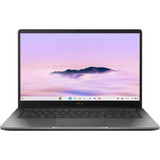
| Chromebooks | School use, lighter browsing, web-first work | ChromeOS, screen size, battery life, storage | Asus 14” Chromebook |
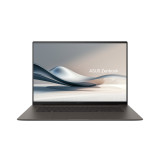
| Windows laptops | Most homes, work, study, everyday use | Processor class, RAM, SSD, screen size | ASUS Vivobook, Zenbook and VivoBook range |
| MacBooks | Apple users, portability, premium use | MacBook Air vs MacBook Pro, screen size, storage | MacBook Neo, MacBook Air and MacBook Pro |
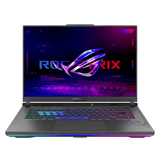
| Gaming laptops | Gaming and heavier performance-led workloads | GPU / performance level, RAM, SSD, cooling, display | Asus VivoBook Gaming Bundle and ROG Zephyrus G14 |
| Bigger-screen laptops | Desk-based use, multitasking, home office | 15.6-inch vs 16-inch / 17-inch+, RAM and SSD | Asus Vivobook 16 and Vivobook 18 |
When you buy a laptop from Expert.ie, the goal is to make the choice feel clearer, not more confusing. The live range lets shoppers compare the main laptop routes side by side, from simpler Chromebooks to stronger Windows laptops, MacBooks and gaming options. For buyers who want reassurance as well as choice, Expert.ie also offers Delivery Nationwide, Easy Returns, Humm Finance and the confidence of shopping with a 100% Irish Owned retailer.